Keep application configuration in one place, organized by environment. Give your CI/CD envbee credentials instead of maintaining another growing copy of your staging and production settings.
Every application and environment adds more values to maintain. Keep application configuration separate from the pipeline that deploys it.
Your CI/CD
Drone / GitHub Actions / GitLab CI
× staging
× production
× multiple applications
Change CI/CD providers, and those application values need to move with your pipeline.
Your CI/CD
Drone / GitHub Actions / GitLab CI
envbee credentials
envbee
Application configuration
Use credentials for the target application and environment. Fetch its values through the API or an SDK in your deployment step.
Switch CI/CD providers while keeping application configuration in envbee. Reconnect the configuration-fetching step in your new pipeline.
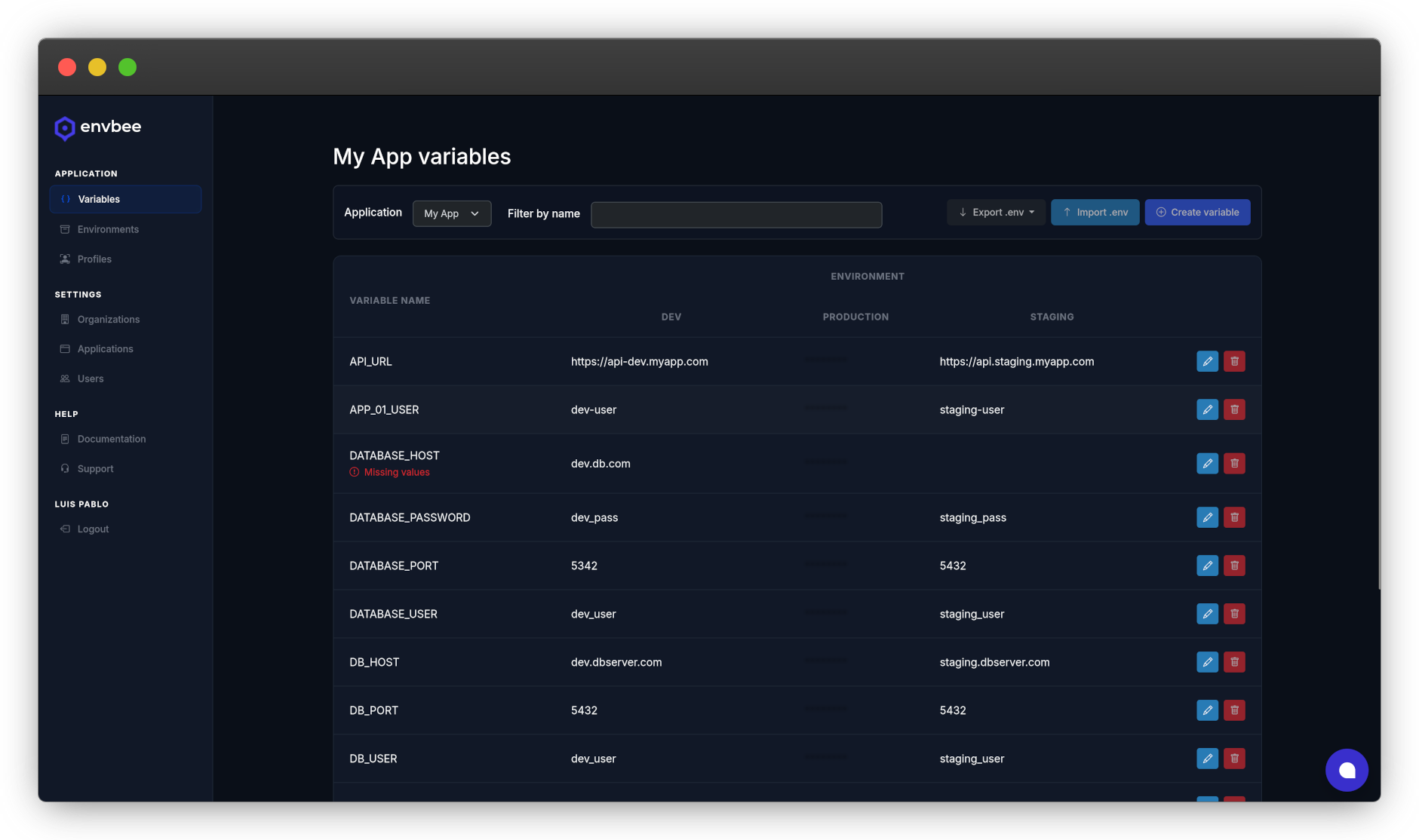
Create its environments and import an existing .env file, or add configuration values manually.
Store the target environment’s API key and secret in your CI/CD secret store. Use them to fetch application configuration.
Pass the fetched values to your application using its existing configuration mechanism, or load them at startup with an SDK.
Start with the configuration your deployments already use. Add deeper integrations when you need them.
Manage your applications in one dashboard, with separate values for development, staging and production.
Use profiles and environment permissions to control who can read or update configuration. Keep production credentials secure and encrypted, and out of local development.
Fetch configuration through the REST API or open-source SDKs. Load values during deployment or when your application starts.
Want configuration changes without a redeploy? Enable change notifications and handle webhooks in your application to reload the values it uses.
Import and export .env files per environment. Fetch values at deployment time and keep your application using its existing configuration mechanism. Runtime SDK calls and webhook-driven hot reload are optional integrations.
Create an application, add staging and production, and connect your deployment with envbee credentials.